
On this page
- The Short Version
- The Investigation Starts. The Logs Are Gone
- Audit Logs Are Evidence
- The Investigation Stack
- Which Licenses Include Audit Premium?
- How Far Back Can You Investigate?
- Not All Audit Logs Follow the Same Retention Rules
- PowerShell Validation
- Practical Audit Readiness Checklist
- Audit Readiness Scorecard
- Copilot Depends on Visibility
- Long-Term Retention Has a Cost
Understanding Microsoft Purview Audit retention, licensing, investigation capabilities, and how to build an audit strategy that actually helps when something goes wrong.
One of the questions I get asked most often during security assessments, Microsoft 365 reviews, and incident investigations is surprisingly simple:
How long are our audit logs actually retained?
Most people expect a simple answer.
Unfortunately, there isn’t one.
The answer depends on licensing, workloads, user types, retention policies, and sometimes decisions that were made years before anyone knew an investigation would ever be needed.
As a Microsoft 365 and Security consultant, I spend a lot of time talking about prevention.
- MFA
- Conditional Access
- Defender
- Identity protection
- Data protection
But when a security incident, HR investigation, compliance review, insider risk case, or legal request arrives, the conversation changes.
Nobody asks how many Conditional Access policies you have.
Instead, they ask:
Can we prove what happened?
That is when audit logs become important.
And that is often when organizations discover whether their audit retention strategy is fit for purpose.
The real question is not:
How long does Microsoft keep my audit logs?
The real question is:
How far back does my business need to investigate?
The Short Version
| Scenario | Typical Retention |
|---|---|
| Audit Standard | 180 days |
| Audit Premium | 1 year for Exchange, SharePoint, OneDrive, and Microsoft Entra audit records generated by appropriately licensed users |
| Audit Premium + 10-Year Audit Log Retention Add-on | Up to 10 years |
| Sentinel / SIEM Platforms | Depends on architecture and retention design |
Microsoft increased Audit Standard retention from 90 days to 180 days for audit records generated on or after October 17, 2023. Audit Premium provides a built-in one-year retention policy for Exchange Online, SharePoint Online, OneDrive for Business, and Microsoft Entra audit records generated by appropriately licensed users. Audit records for many other workloads default to 180 days unless covered by custom retention policies.
Important
Audit retention only answers how long the evidence exists.
It does not answer whether your organization knows how to find it, access it, or investigate it when needed.
The table is useful.
But it does not answer the most important question.
The most important question is:
Is that long enough for the investigations your organization may need to perform?
The Investigation Starts. The Logs Are Gone
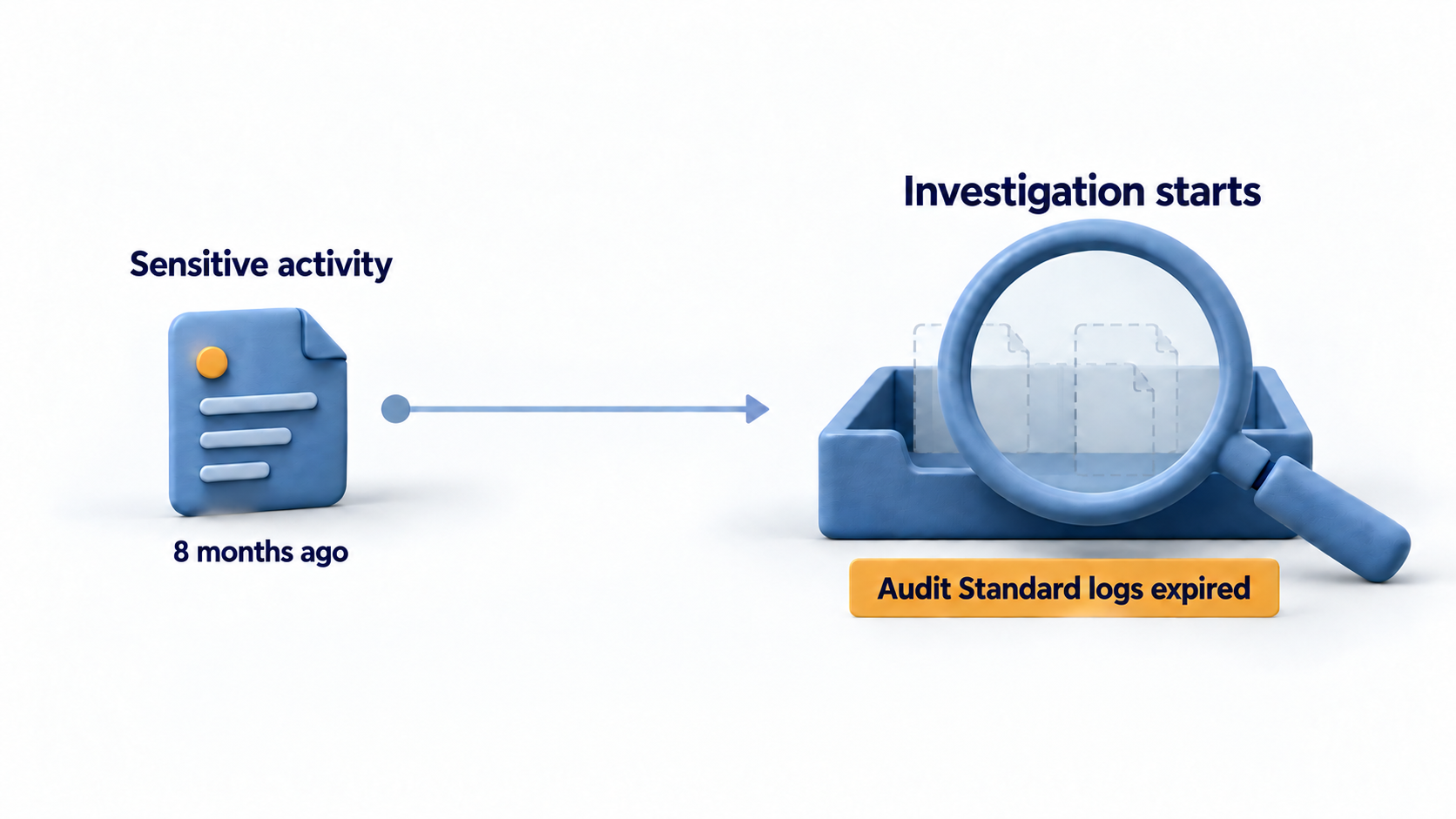
Why Audit Logs Matter
Many administrators still think of auditing primarily as a compliance feature.
I don’t.
For me, audit logs are evidence.
They help answer questions such as:
- Who downloaded the files?
- Who shared sensitive information?
- Who changed permissions?
- Who accessed the mailbox?
- Who granted application consent?
- Who deleted a document?
- Who modified a policy?
- When exactly did an activity occur?
Without audit data, many investigations quickly become educated guesswork.
That is why audit retention should never be treated as purely a licensing discussion.
It is fundamentally a risk-management discussion.
Audit logs are evidence, not compliance records.
Audit Logs Are Evidence
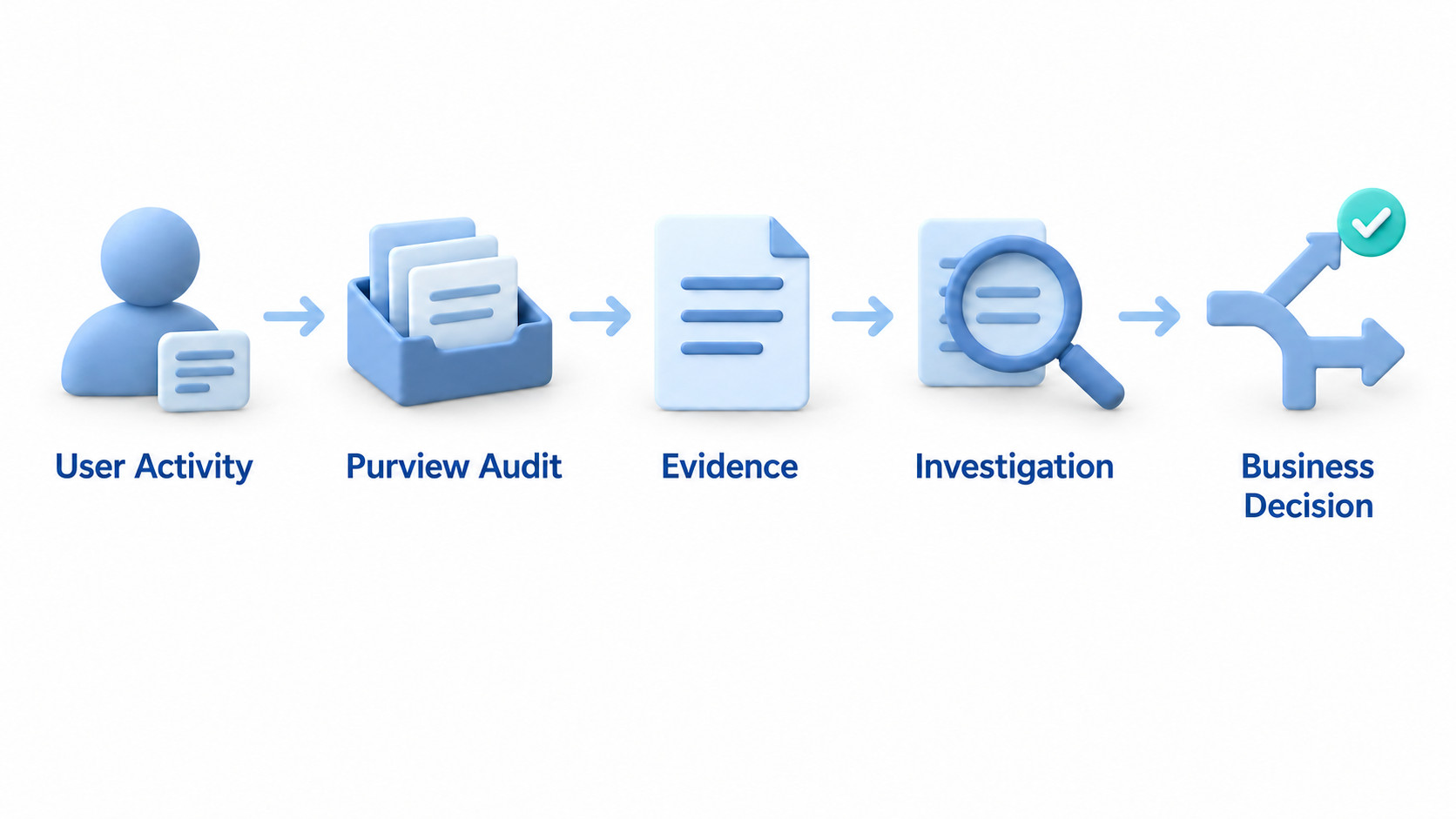
What Is Microsoft Purview Audit?
Microsoft Purview Audit collects activities from across Microsoft 365.
This includes services such as:
- Exchange Online
- SharePoint Online
- OneDrive for Business
- Microsoft Entra ID
- Microsoft Teams
- Power Platform
- Microsoft Purview
The result is a centralized audit trail covering user actions and administrative activities across the Microsoft 365 ecosystem.
I regularly see organizations use audit data during:
- Security investigations
- Insider risk investigations
- Compliance reviews
- Legal discovery
- HR investigations
- Change tracking
- Troubleshooting
For many organizations, the Unified Audit Log becomes the closest thing they have to a forensic record of events inside Microsoft 365.
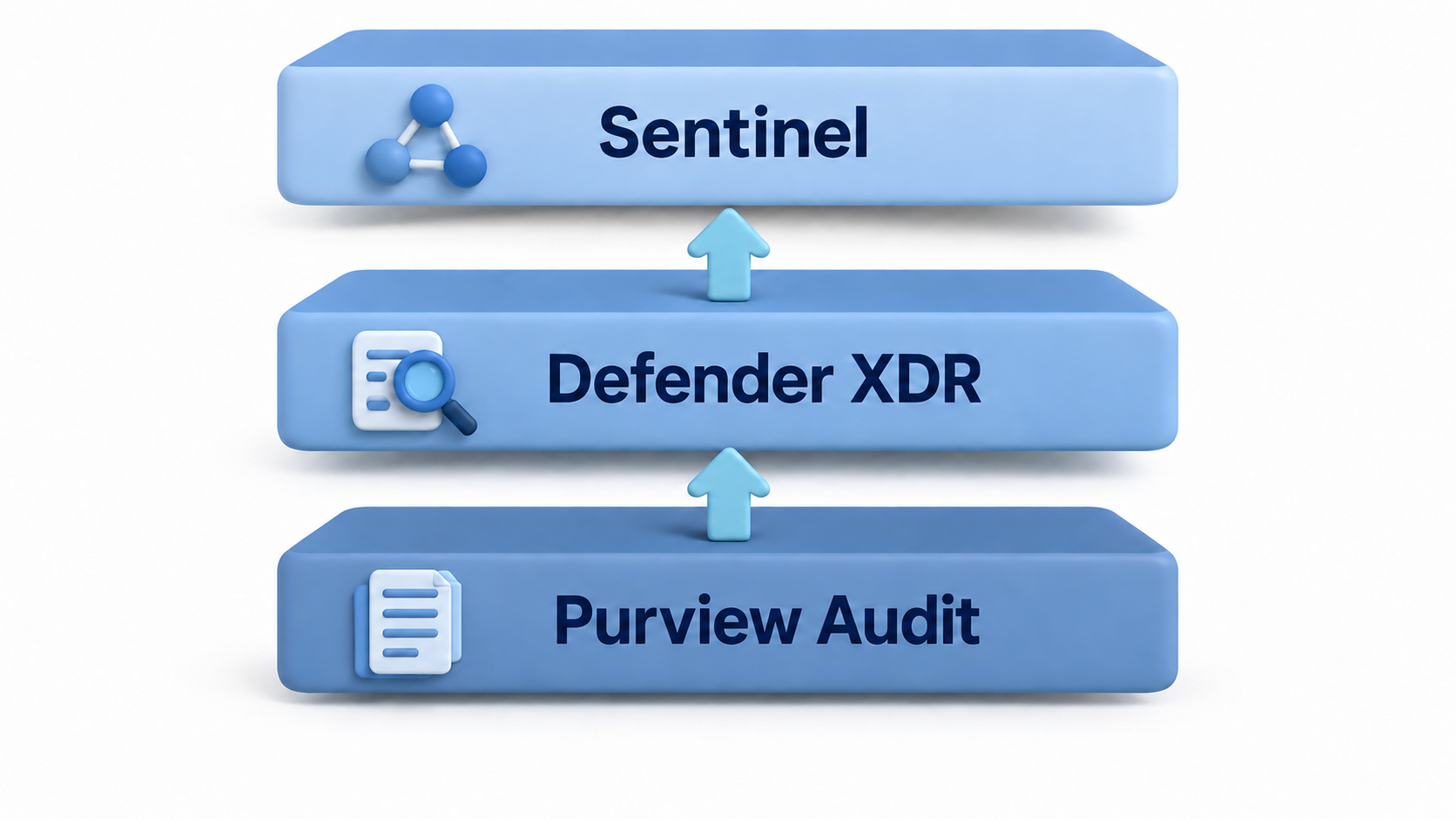
Purview Audit vs Defender XDR vs Sentinel
One of the biggest misconceptions I encounter is that Microsoft Purview Audit, Defender XDR, and Sentinel all provide the same information.
They don’t.
Each platform answers different questions.
| Platform | Primary Question |
|---|---|
| Purview Audit | What happened? |
| Defender XDR | Was it suspicious or malicious? |
| Sentinel | What happened across the environment? |
Consider a user downloading hundreds of files from SharePoint.
Purview Audit can show that the downloads occurred.
Defender XDR may reveal suspicious behavior on the endpoint before or after the downloads.
Sentinel can correlate those events with data from multiple platforms and retain them according to your organization’s design.
In most real-world investigations, all three platforms contribute different pieces of the puzzle.
The Investigation Stack
Audit Standard vs Audit Premium
Audit Standard provides 180 days of retention for current audit records.
For many operational investigations, that is sufficient.
For legal, compliance, insider risk, or regulatory investigations, it may not be.
Audit Premium extends retention for key workloads to one year when activities are generated by appropriately licensed users.
Audit Premium also provides:
- Audit retention policies
- Intelligent insights
- Higher-bandwidth API access
- Additional investigation capabilities
Retention is usually the capability people focus on.
For incident responders, the additional audit visibility can be just as valuable.
One often overlooked advantage of Audit Premium is access to additional investigation data that can be extremely valuable during incident response.
Examples include:
- MailItemsAccessed
- SearchQueryInitiatedExchange
- SearchQueryInitiatedSharePoint
For many organizations, MailItemsAccessed is particularly valuable because it helps answer a question that often arises during mailbox compromise investigations:
Did the attacker merely authenticate to the mailbox, or did they actually access email content?
These events can help investigators determine whether content was actually accessed, searched, or interacted with during a compromise investigation rather than simply identifying that a user authenticated successfully.
Which Licenses Include Audit Premium?
Audit Premium capabilities are typically available through:
- Microsoft 365 E5
- Microsoft Purview Suite
- Microsoft Purview eDiscovery and Audit Add-on
One important caveat is often overlooked.
The fact that administrators can see Audit Premium functionality does not automatically mean that all users receive Audit Premium retention.
The license of the user generating the activity matters.
Microsoft states that audit records generated by appropriately licensed users receive the one-year default policy, while audit records generated by non-E5 users and guest users are generally retained for 180 days.
Important
Guest user activity is frequently overlooked.
Organizations working extensively with suppliers, consultants, external partners, or M&A projects should explicitly review retention requirements for guest activities.
Service principal, application, and system-generated audit records are retained for a fixed period of one year.
This retention period is not configurable, and custom retention policies do not apply.
How Far Back Can You Investigate?
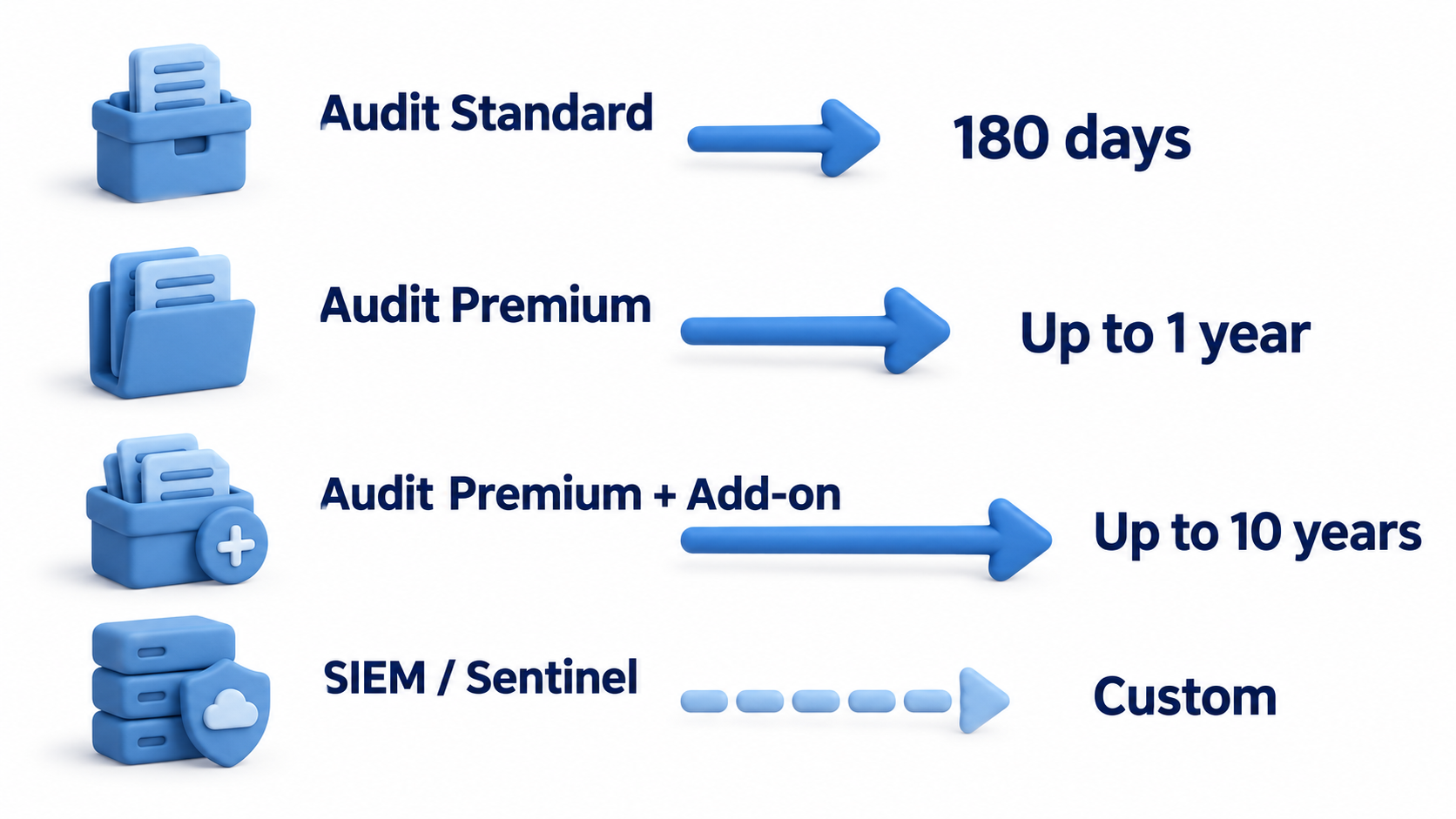
Not All Audit Logs Follow the Same Retention Rules
While 180 days is the baseline retention period for Audit Standard, assuming every audit record is retained for 180 days can create unexpected gaps during an investigation.
Retention varies depending on licensing, workload, user type, and audit record type.
Audit Premium Core Workloads
For appropriately licensed users, audit records generated in:
- Exchange Online
- SharePoint Online
- OneDrive for Business
- Microsoft Entra ID
are retained for one year by default.
These workloads are covered by Microsoft’s built-in Audit Premium retention policy.
Other Microsoft 365 Workloads
Activities generated in other workloads may still default to 180 days unless covered by a custom audit retention policy.
This is one reason why it is important to understand which workloads your investigations rely on instead of assuming every audit record follows the same retention model.
Service Principals and Application Activity
Audit records generated by:
- Service principals
- Applications
- System events
are retained for a fixed period of one year.
An important nuance is that this retention period cannot be modified using custom audit retention policies.
Microsoft Entra Sign-In and Audit Logs Are Different
One of the most common areas of confusion is Microsoft Entra logging.
Microsoft Entra sign-in logs and audit logs have their own retention model when viewed directly through the Microsoft Entra admin center.
This is separate from Microsoft Purview Audit retention.
If your investigation strategy relies heavily on sign-in logs, review those retention settings independently and consider exporting them to Azure Monitor, Sentinel, or another long-term retention platform when appropriate.
The Practical Takeaway
When an investigation starts, make sure you know:
- Which log source you are using
- Which retention model applies
- Which portal contains the data
Purview, Entra, Defender XDR, and Sentinel all have different retention and search experiences.
Using the wrong portal can sometimes make it appear that the data no longer exists when in reality you are simply searching in the wrong place.
Audit Retention Policies
Audit Premium allows custom retention policies based on:
- Users
- Activities
- Record types
- Microsoft 365 workloads
Policies can override the default retention policy and allow retention to be tailored to business requirements.
Microsoft supports retention of eligible audit records for up to ten years when the appropriate licensing and retention policies are configured.
One limitation remains important:
Retention is not retroactive.
If data has already expired, purchasing additional licensing later will not recover it.
How Do I Verify My Configuration?
One of the biggest mistakes I see is assuming retention is configured correctly without actually validating it.
Start in the Microsoft Purview portal:
Solutions → Audit → Policies
Review:
- Custom retention policies
- Retention durations
- User targeting
- Activity filters
Remember that Microsoft’s built-in Audit Premium default retention policy is not displayed as a custom retention policy.
PowerShell Validation
Connect to the Security & Compliance endpoint:
Connect-IPPSSession
Review configured retention policies:
Get-UnifiedAuditLogRetentionPolicy
Verify Unified Audit Log Ingestion
Although auditing is enabled by default in modern Microsoft 365 tenants, inherited or older environments should still be verified.
Get-AdminAuditLogConfig | Select-Object UnifiedAuditLogIngestionEnabled
Expected result:
UnifiedAuditLogIngestionEnabled : True
If the value is False, auditing can be enabled with:
Set-AdminAuditLogConfig `
Set-AdminAuditLogConfig -UnifiedAuditLogIngestionEnabled $true
Then validate that audit events are actually being collected:
Search-UnifiedAuditLog `
    -StartDate (Get-Date).AddDays(-30) `
    -EndDate (Get-Date)
You can also validate specific events that are commonly used during investigations.
For example, file access activity:
Search-UnifiedAuditLog `
    -StartDate (Get-Date).AddDays(-30) `
-EndDate (Get-Date) `
-Operations FileAccessed `
-ResultSize 100
This provides a quick validation that one of the most commonly investigated SharePoint and OneDrive activities is being collected successfully.
A retention strategy that has never been tested is simply a theory.
Important
Retention and searchability are not the same thing.
The fact that data exists does not automatically mean every search interface, API, report, or export mechanism exposes it in the same way.
Always validate your actual investigation workflow.
Getting the Most Value from Audit
Having audit logs is one thing.
Being able to use them when you need them is something else entirely.
Throughout security assessments and investigations, I frequently see organizations discover that auditing was technically enabled, but nobody had validated the data, reviewed retention requirements, or tested investigation workflows.
Practical Audit Readiness Checklist
If you only take one thing away from this article, let it be this:
Do not validate retention by looking at policies.
Validate retention by successfully finding the audit events you expect to see.
Audit Configuration
✅ Verify auditing is collecting expected data.
✅ Verify UnifiedAuditLogIngestionEnabled is set to True.
✅ Confirm that audit searches return results.
✅ Review which workloads are generating audit events.
✅ Confirm investigation teams have access.
✅ Validate business requirements against actual retention.
Licensing
✅ Review who has Audit Premium licensing.
✅ Verify that privileged accounts are appropriately licensed.
✅ Ensure Global Administrators, Security Administrators and Privileged Identity Management administrators are evaluated separately.
✅ Review executive, VIP and other high-value accounts that may require enhanced investigation capabilities.
✅ Include guest users in retention planning.
✅ Review whether high-risk users require longer retention.
Security Investigation Readiness
✅ Verify SharePoint and OneDrive file access events can be located.
✅ Verify mailbox activity can be searched.
✅ Verify administrative actions are available.
✅ Verify Microsoft Entra administrative activities are available.
✅ Verify Microsoft Entra sign-in and audit log retention separately.
✅ Periodically run test investigations.
Examples:
- User downloads confidential files.
- Administrator grants permissions.
- User creates a forwarding rule.
- Application consent is granted.
Can your team locate those events quickly?
Security Operations Integration
✅ Determine whether Sentinel is part of your long-term retention strategy.
✅ Validate required audit data is actually being ingested.
✅ Verify retention settings in Sentinel.
✅ Confirm security teams can query historical data.
✅ Understand long-term costs.
Copilot and AI Readiness
✅ Validate visibility into access to sensitive content.
✅ Review permissions and access governance.
✅ Confirm retention aligns with AI governance requirements.
✅ Understand what evidence would be required during a Copilot-related investigation.
Governance
✅ Security agrees on retention requirements.
✅ Compliance agrees on retention requirements.
✅ Legal agrees on retention requirements.
✅ Requirements are documented.
✅ Retention strategy is reviewed periodically.
The most mature organizations treat audit retention as a governance decision, not a technical setting.
Audit Readiness Scorecard
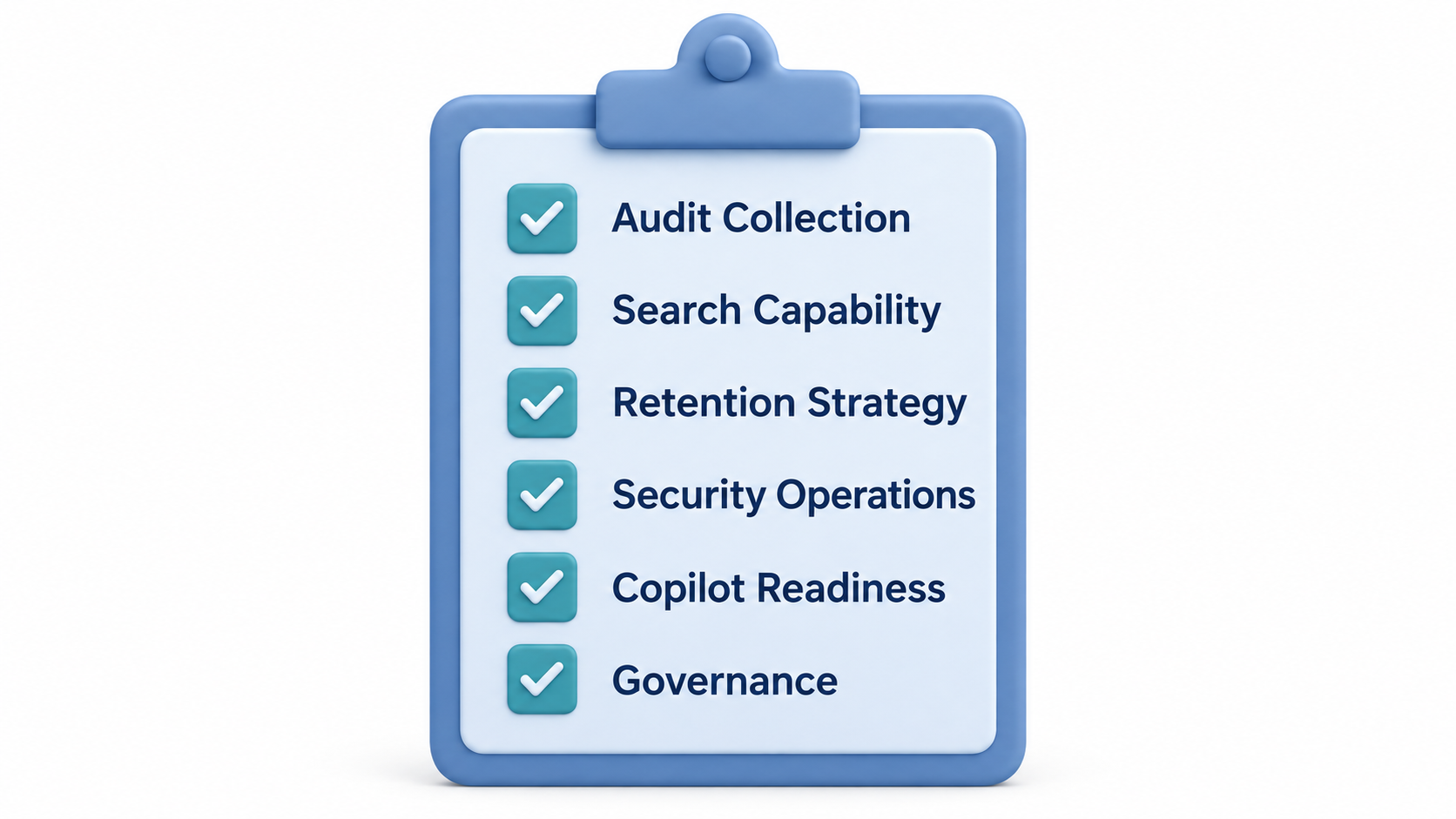
In my experience, organizations rarely wish they had collected less evidence. They usually wish they had collected more, retained it longer, or known how to find it faster.
Why Copilot Changes the Conversation
As Microsoft 365 Copilot adoption increases, so does the importance of audit data.
Organizations increasingly ask:
- Who accessed this information?
- Who shared it?
- When did permissions change?
- Was this content already accessible before Copilot surfaced it?
Many of those answers come directly from audit records.
AI makes audit data more important, not less.
Copilot Depends on Visibility

What If Microsoft’s Retention Doesn’t Meet Your Requirements?
For some organizations, even ten years is not enough.
Financial services, healthcare, government organizations, and highly regulated industries often require longer evidence-retention periods.
Common approaches include:
- Microsoft Sentinel
- Azure Storage
- Azure Data Lake
- Splunk
- QRadar
- Elastic
- Other SIEM platforms
At that point, the conversation becomes less about Microsoft licensing and more about evidence-retention architecture.
Long-Term Retention Has a Cost
Long-term retention always involves trade-offs.
Consider:
- Storage costs
- Ingestion costs
- Search costs
- Investigation requirements
- Regulatory obligations
The cheapest platform is not always the best platform for an investigation.
Choosing the Right Approach
As a starting point, I typically think about audit retention in four tiers:
| Requirement | Recommendation |
|---|---|
| Operational investigations | Audit Standard |
| Security and compliance investigations | Audit Premium |
| Multi-year regulatory requirements | Audit Premium + 10-Year Retention |
| Enterprise investigation and long-term evidence retention | Sentinel and/or SIEM architecture |
The right answer is usually driven by:
- Risk appetite
- Compliance requirements
- Legal obligations
- Investigation needs
- Budget
Rather than technology alone.
Final Thoughts
Throughout my work as a Microsoft 365 and Security consultant, I rarely see organizations regret retaining audit data for too long.
I do, however, see organizations regret not retaining it long enough.
Audit logs are often the closest thing we have to digital evidence.
Retention alone is not enough.
The organizations that get the most value from Microsoft Purview Audit are the ones that regularly validate their audit data, test their investigation processes, and integrate audit information into broader security operations.
In other words:
Collecting logs is easy. Building an investigation capability is the real goal.
Security, IT, compliance, legal, records management, and risk teams all have a stake in these decisions.
The most successful organizations treat audit retention as a governance discussion rather than a technical configuration exercise.
The best time to design your audit retention strategy is before the investigation starts.
The question is not whether you will eventually need audit data.
The question is whether it will still be available when you do.
Because when someone eventually asks:
Can we prove what happened?
you want the answer to be based on evidence, not assumptions.
Sources
The retention figures, licensing requirements and auditing capabilities described in this article are based on the following Microsoft documentation: