
On this page
- First, forget about "Do we have Purview?"
- A practical starting point
- Business Premium deserves more attention
- What about Business Standard?
- What about A3 and A5?
- Sensitivity labels are where the conversation often starts
- DLP is not just DLP
- Audit is another good example
- Retention has the same core versus premium pattern
- Retention licensing should follow the records requirement
- What does Legal actually need to do?
- The most commonly missed question: Who benefits?
- Purview Suite changes the conversation
- Do not start with E5
- And now we have pay-as-you-go
- AI makes the licensing discussion even more relevant
- Do not buy licenses from a feature matrix
- How I approach Purview licensing in a customer project
- Licensing does not equal access
- A useful community resource
- Final thoughts
- Official Microsoft documentation
- Community resource
Microsoft Purview licensing can get confusing pretty quickly.
I regularly get questions about Purview licensing during customer workshops, architecture discussions, and Microsoft 365 security assessments.
The questions often sound simple:
We have Microsoft 365 E3. Does that mean we have Purview?
Or:
Do we need E5 to use sensitivity labels?
Sometimes the question is about DLP for SharePoint and OneDrive. In other cases, the customer needs Endpoint DLP, automatic labeling, longer audit retention, eDiscovery Premium, or protection for data moving into AI applications.
The answer is rarely a simple yes or no.
Microsoft Purview is not one product with one license. It is a portfolio of data security, compliance, governance, and risk capabilities. The licensing requirement depends on the exact feature, where it will be used, and which users benefit from it.
It is also no longer just an E3 versus E5 discussion.
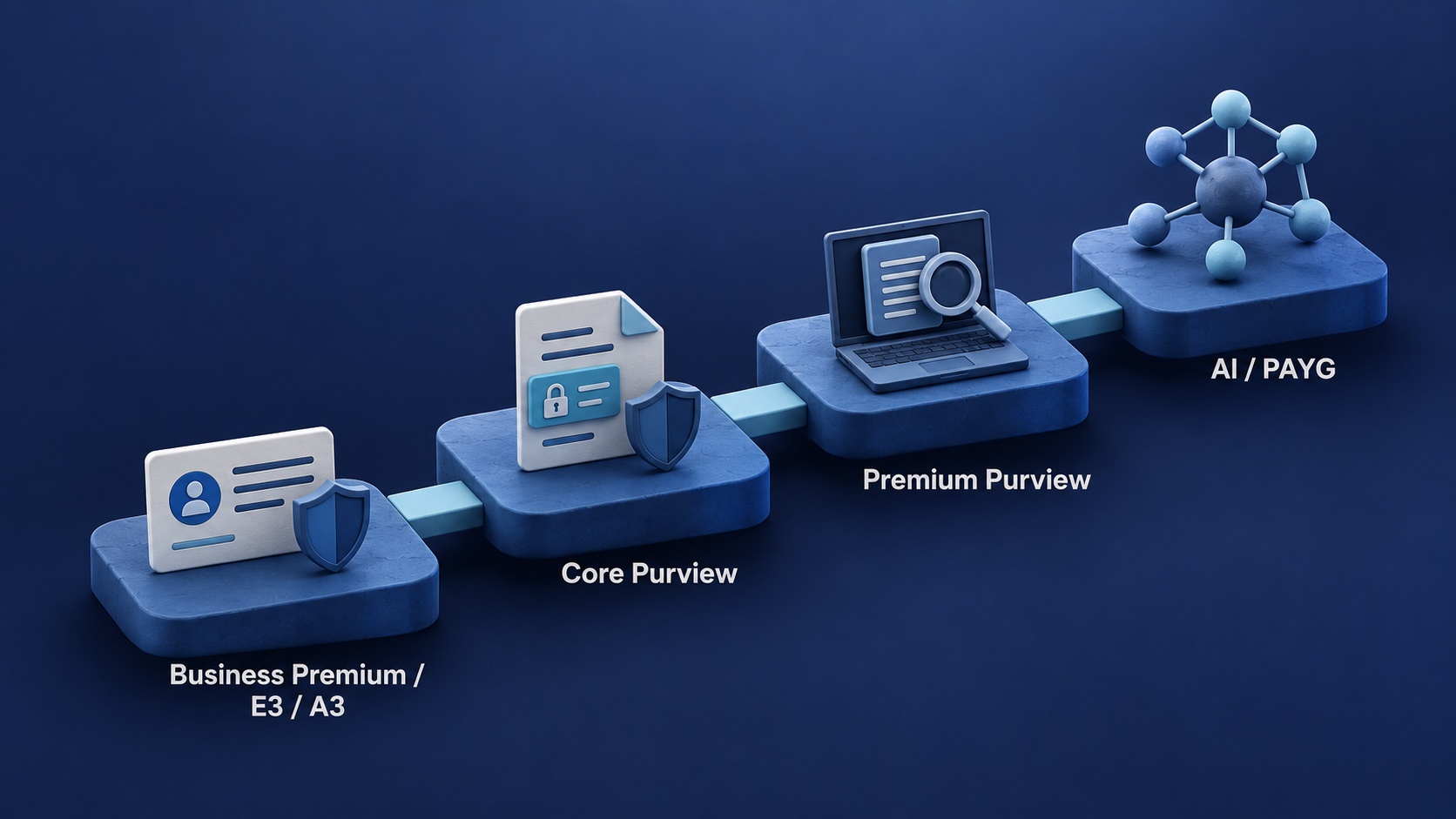
Microsoft 365 Business Premium already includes a useful set of Purview capabilities. Education customers have A3 and A5. Microsoft offers Purview Suite add-ons for several base plans, including Business Premium and Education. Some newer Purview capabilities can also use pay-as-you-go billing through Azure.
This is why I normally turn the licensing question around.
Instead of asking:
Which Purview license should we buy?
Start with:
What are we trying to protect, where does the protection need to work, and what must Purview actually do?
Once those questions are answered, the licensing discussion becomes much more manageable.
Important: Microsoft licensing changes regularly. This article is a practical guide, not a replacement for Microsoft Product Terms, licensing guidance, or the individual service descriptions. Always verify the current requirements before making a purchasing decision.
For current feature-level requirements, start with the Microsoft Purview service description, the Microsoft Purview licensing guidance, and the Microsoft Product Terms.
First, forget about “Do we have Purview?”
I still hear questions like:
We have E3. Do we have Purview?
Technically, yes.
But that answer does not tell us very much.
The same applies to Business Premium, A3, and E5. There is no single switch called Purview that is either on or off.
A license might give users the right to apply sensitivity labels manually but not to have labels applied automatically. An organization might have DLP for Exchange, SharePoint, and OneDrive but not Endpoint DLP. It might have Audit Standard but not Audit Premium.
This distinction matters because customers often describe Purview as if it were a single product.
In practice, I might be asked:
- Can our users manually apply sensitivity labels?
- Can we automatically label existing SharePoint content?
- Can we prevent sensitive files from being copied to USB drives?
- Can we retain audit records for longer?
- Can Legal place content on hold and export search results?
- Can we detect sensitive information being uploaded to AI applications?
All of these questions are about Microsoft Purview, but they do not necessarily have the same licensing answer.
If a licensing discussion starts and ends with “we have E3,” there is a good chance that an important requirement has been missed.
A better question is:
Which Purview capability do we need, where do we need it, and which users need to benefit from it?
That last part is particularly important. I will come back to it later.
A practical starting point
There is no single licensing table that explains every possible Purview scenario.
Microsoft has many different plans, add-ons, prerequisites, and feature-specific licensing conditions. Trying to begin with the complete licensing catalogue usually makes the discussion more difficult than it needs to be.
For most customer conversations, I use the following as a starting point:
| Plan | Practical Purview starting point |
|---|---|
| Microsoft 365 Business Standard | Basic compliance capabilities, including Audit Standard and supported retention scenarios, but not the same information protection entitlement as Business Premium |
| Microsoft 365 Business Premium | A useful SMB Purview baseline with manual sensitivity labeling, core DLP, Audit Standard, supported retention capabilities, and message protection |
| Microsoft 365 E3 / A3 | A solid enterprise or education foundation with core information protection, DLP, audit, retention, and standard investigation capabilities |
| Microsoft 365 E5 / A5 | The advanced tier with substantially more automation, Endpoint DLP, Audit Premium, advanced investigation, and risk capabilities |
| Microsoft Purview Suite | A route to many premium Purview capabilities without necessarily moving the complete user license to E5 or A5 |
| Pay-as-you-go | Consumption-based Purview capabilities for selected non-Microsoft 365, AI, network, and data governance scenarios |
This is not a licensing decision matrix. It is a way to begin the conversation.
The actual answer still depends on the feature, data location, users receiving the benefit, applicable prerequisites, and the current Microsoft licensing terms.
There are also Office 365 plans, Frontline plans, Government plans, standalone compliance add-ons, and other combinations. Microsoft Business plans are also subject to the Microsoft 365 Business seat limit. Those details matter when a solution moves from architecture into procurement.
Business Premium deserves more attention
It is easy to think of Microsoft Purview as something that begins with E3 and only becomes interesting with E5.
That is not my experience.
Microsoft 365 Business Premium already provides a useful Purview foundation for many smaller organizations. Depending on the exact scenario and current Microsoft terms, it can support capabilities such as:
- Manual sensitivity labeling
- DLP for Exchange Online, SharePoint Online, and OneDrive
- Audit Standard
- Organization-wide and location-wide retention policies
- The creation and publication of retention labels
- Microsoft Purview Message Encryption
That is already enough to establish a practical first version of an information protection and compliance programme.
For example, an organization could begin by:
- Defining a small and understandable sensitivity label taxonomy.
- Publishing labels to the relevant users.
- Protecting sensitive email and Office documents.
- Implementing DLP for Exchange, SharePoint, and OneDrive.
- Configuring appropriate retention policies.
- Reviewing activity through Audit Standard.
There are still important limitations. Automatic labeling, Endpoint DLP, Audit Premium, and several advanced governance and risk capabilities require premium entitlement.
But Business Premium should not be dismissed as having “no real Purview.” It can already solve several common requirements.
A useful way to think about the baseline is:
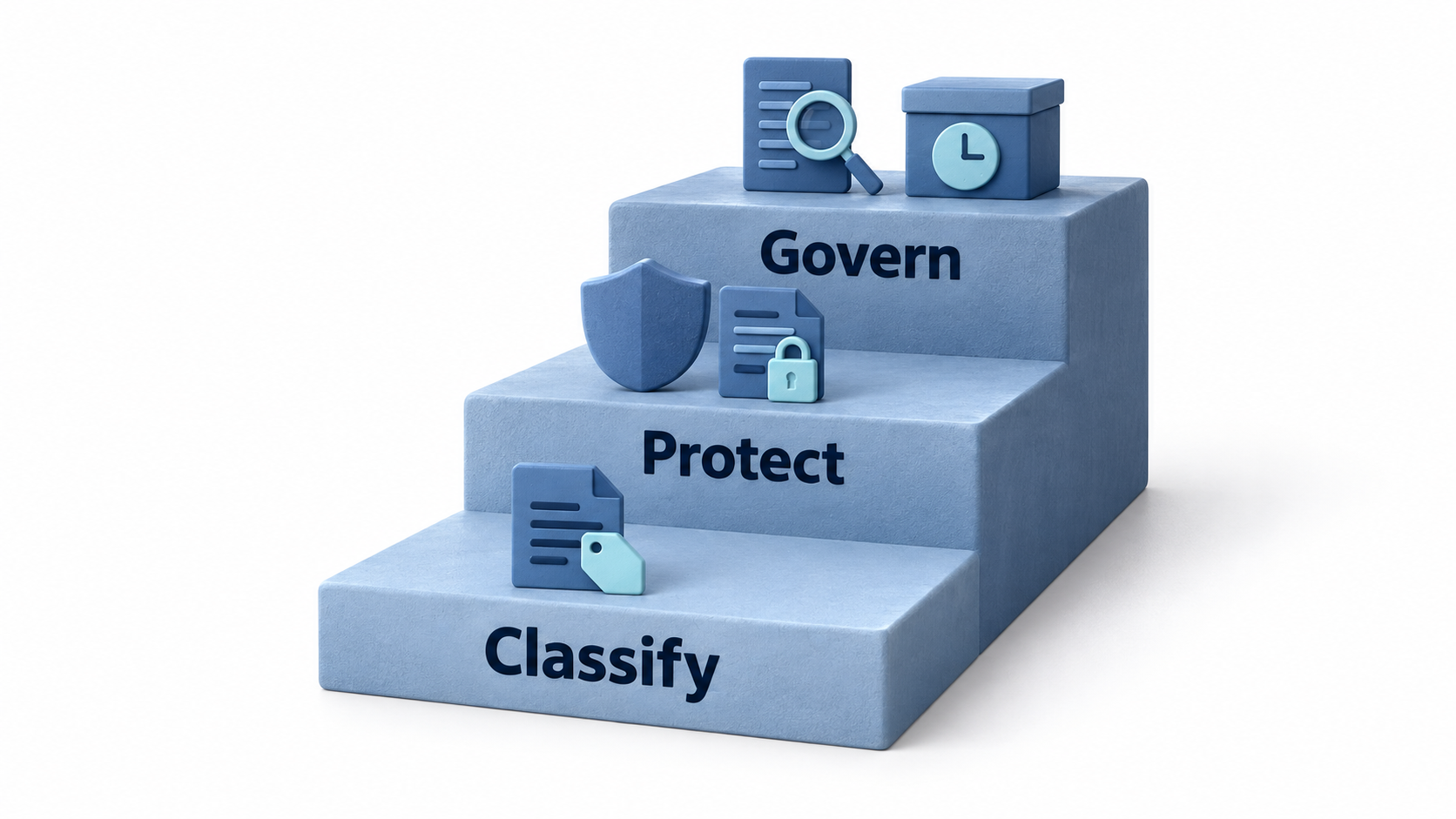
What about Business Standard?
Business Standard is different.
It includes the core Microsoft 365 services such as Exchange Online, SharePoint, OneDrive, and Teams, but it does not provide the same information protection entitlement as Business Premium.
That does not mean Business Standard has no Purview functionality. Audit Standard is available across multiple Microsoft 365 plans, and Microsoft documents supported retention scenarios for Business plans. However, the answer must be checked at feature level.
The practical lesson is that Business Standard should not be treated as a smaller version of Business Premium from an information protection perspective.
If sensitivity labels or broader information protection capabilities are part of the requirement, validate the entitlement before finalising the technical design.
I have seen projects where a label taxonomy and implementation plan were prepared before anyone checked whether the intended users had the necessary licenses. That is the wrong order.
Licensing does not need to be the first topic in the workshop, but it must be validated before the design becomes a project commitment.
Do not ask:
Does Business Standard include Purview?
Ask:
Does Business Standard include the specific Purview feature we intend to use?
What about A3 and A5?
For Education customers, the model is familiar, but it should not be oversimplified.
As a practical starting point, you can often think of:
- A3 as broadly aligned with the core Purview tier
- A5 as broadly aligned with the advanced Purview tier
I deliberately say broadly.
Microsoft 365 A3 and E3 are not identical products, and neither are A5 and E5. However, Microsoft frequently groups E3, A3, and G3 together for core Purview entitlements, while premium features are commonly associated with E5, A5, G5, or an eligible add-on.
From an architecture perspective, this gives us a useful mental model:
E3 / A3: Core Purview
Manual classification, core DLP, Audit Standard, records and retention capabilities, and standard investigation workflows.
E5 / A5: Advanced Purview
Automation, advanced DLP, Endpoint DLP, Audit Premium, advanced investigation, Insider Risk Management, Communication Compliance, and other premium capabilities, subject to the current feature-level licensing requirements.
This is a starting point, not proof of entitlement. Education-specific terms and add-on options must still be verified for the exact capability.
Sensitivity labels are where the conversation often starts
A common Purview project begins with a requirement to classify documents and email.
The customer might want labels such as:
- Public
- Internal
- Confidential
- Highly Confidential
A user opens a Word document and manually selects Confidential.
You do not need Microsoft 365 E5 or A5 simply to support that scenario. Microsoft currently lists manual sensitivity labeling under several eligible licenses, including Microsoft 365 E3, A3, E5, A5, and Business Premium.
The pilot usually works well.
Users can see the labels in Office, the organization can apply visual markings or protection, and the project begins to deliver value.
Then somebody asks a perfectly reasonable question:
Can we automatically classify the existing documents in SharePoint?
This is normally where the licensing conversation changes.
Automatically applying a label based on detected content is not the same capability as allowing a user to select a label manually. The same applies when the requirement moves from recommending a label to applying it automatically.
This is one of the most common licensing boundaries I encounter in Purview projects:
Manual classification is one requirement. Automated classification is another.
Do not assume that a successful manual labeling pilot proves that every planned automation scenario is already licensed.
The information protection licensing ladder
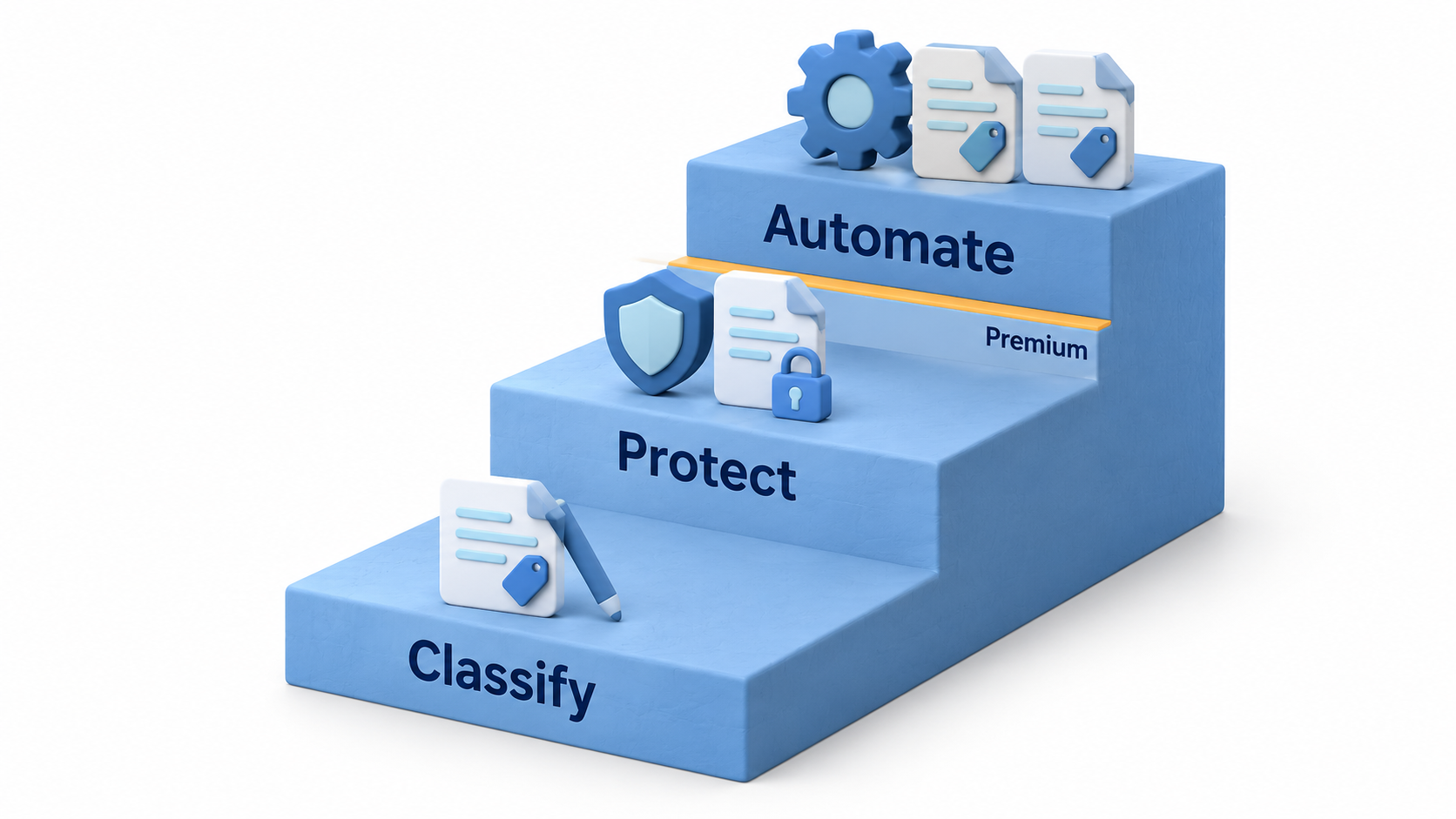
Moving from manual classification to automated classification is one of the places where Purview licensing often changes.
DLP is not just DLP
If someone asks:
Do we have DLP?
My next question would normally be:
Where?
DLP can protect data across very different locations, including:
- Exchange
- SharePoint
- OneDrive
- Teams
- Managed endpoints
- Microsoft 365 Copilot
- Browsers
- Network traffic
- AI applications
Those scenarios do not necessarily have the same licensing requirements.
I would also ask:
- Is the goal to detect, warn, block, or allow with justification?
- Does the policy apply only to Microsoft 365 services?
- Must it also apply to managed Windows or macOS devices?
- Is browser activity included?
- Are users allowed to override the policy?
- Does the organization need visibility into uploads to generative AI services?
- Are unmanaged devices part of the scenario?
These are not minor implementation details. They determine which Purview workload is involved, which prerequisites apply, and which licensing model needs to be evaluated.
Microsoft documents DLP entitlements for Exchange Online, SharePoint Online, and OneDrive under several plans, including Business Premium and Microsoft 365 E3/A3. When the requirement moves to controls on managed devices, such as blocking copies to removable storage, Endpoint DLP enters the picture and premium licensing must be evaluated.
This is why I prefer a requirement such as:
Prevent members of the Finance department from copying documents containing specified financial information to removable storage on managed Windows devices.
That can be mapped to:
- A user population
- A data classification method
- A device platform
- A restricted activity
- A Purview capability
- A licensing requirement
“Implement DLP” cannot.
The more precise the requirement becomes, the easier it is to design the policy, test the user experience, and verify the licensing.
Where does DLP need to work?
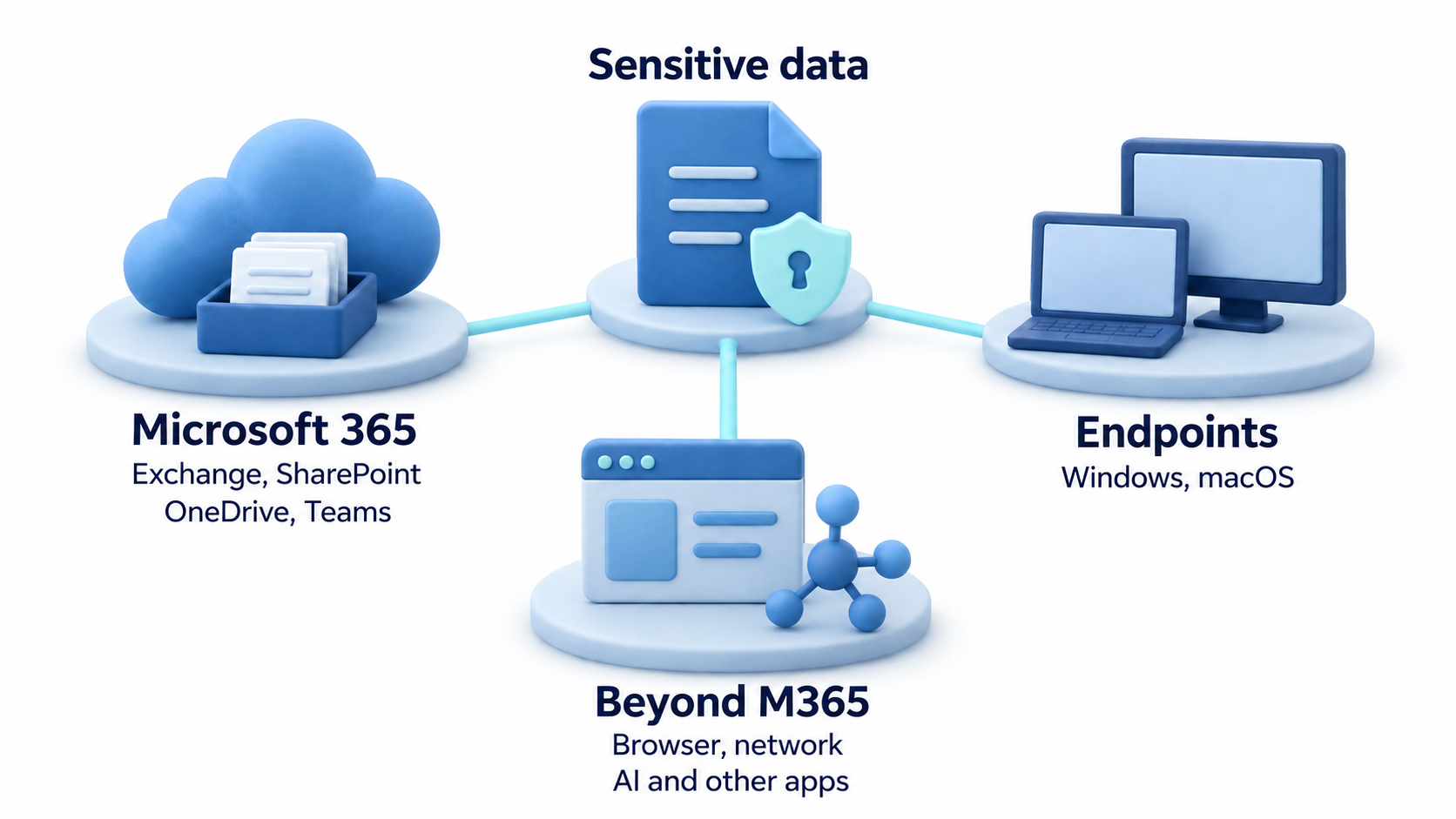
Audit is another good example
Audit licensing affects more than whether an option appears in the portal.
Audit Standard provides the core Microsoft 365 auditing capability. Audit Premium adds longer retention for eligible audit data and additional investigation capabilities, subject to the users having the required licenses.
A practical question I often ask is:
How far back would you need to investigate if a security incident was discovered today?
If the answer is many months, verify whether the available audit retention meets the operational requirement. Do not assume that recording an event and retaining it for the required investigation period are the same thing.
I covered the retention periods, licensing differences, caveats, and practical verification steps in How Long Are Microsoft 365 Audit Logs Retained?.
The important point is that audit licensing can directly affect how far back a security or compliance team can investigate.
For Business Premium customers, Microsoft also documents Microsoft Purview Suite for Business Premium as a route to premium Purview capabilities. This means the upgrade path does not necessarily have to be:
Business Premium
        ↓
Microsoft 365 E5
It might instead be:
Business Premium
        ↓
Purview Suite for Business Premium
        ↓
Advanced Purview capabilities
Whether that is the best commercial option depends on the complete requirement, not only Audit Premium.
Retention has the same core versus premium pattern
It is easy to say:
Retention is included.
That statement may be correct, but it does not tell us enough.
Core licenses can support organization-wide or location-wide retention policies and the creation and publication of retention labels in documented scenarios. Premium licensing enters the discussion when requirements include capabilities such as:
- Automatically applying retention labels
- Adaptive policy scopes
- Event-based retention
- Disposition review
- Regulatory records
- Automatically changing labels after the retention period
- Advanced records management and file plan capabilities
The familiar pattern appears again:
Core capability
        ↓
Automation
        ↓
Advanced governance
The further the requirement moves towards automation and advanced governance, the more likely premium licensing becomes relevant.
Retention licensing should follow the records requirement
Before discussing policies and labels, I normally want to understand:
- Which content must be retained?
- Why must it be retained?
- How long must it be retained?
- Does the period begin when the content is created, last modified, or when a business event occurs?
- Must users be prevented from deleting it?
- What should happen when the retention period expires?
- Is a human disposition review required?
- Must the organization demonstrate that a record could not be changed or deleted?
A requirement to keep all Exchange email for seven years is very different from a requirement to retain contracts for ten years after their expiry.
Both might be described as retention, but the policy design, operational process, and licensing requirements can be very different.
This is also why I would not enable retention features simply because they are included in a license. Retention can have long-term operational and storage consequences. Some design decisions become difficult to reverse after large amounts of content have been placed in scope.
What does Legal actually need to do?
The same requirement-first approach applies to eDiscovery.
A customer might initially ask whether they have eDiscovery, but the more useful questions are:
- Do they need to search for content?
- Do they need to place users or locations on hold?
- Do they need to export results?
- How large are the expected cases?
- Do they need custodian management?
- Are review sets required?
- Is advanced indexing or analytics part of the workflow?
- Who will operate the process?
- How often will it be used?
If Legal only needs occasional searches, holds, and exports, the licensing answer may be different from an organization running large investigations with multiple custodians and review teams.
The portal name alone does not tell you which eDiscovery capabilities the organization is entitled to use. Map the legal workflow before mapping the license.
The most commonly missed question: Who benefits?
In my experience, one of the most common Purview licensing misunderstandings is not about E3 versus E5.
It is about who needs the license.
An organization might assign premium licenses to a small number of compliance administrators and assume that this covers the service.
That may give those administrators access to configure a feature, but it does not automatically license thousands of other users to benefit from it.
Microsoft states that users benefiting from a Purview service require the appropriate license. Its service description also gives examples involving user mailboxes, OneDrive accounts, Teams chats, devices, and members or owners of shared locations such as SharePoint sites, Microsoft 365 Groups, and Teams channels.
Imagine an organization with:
- 5,000 E3 users
- 20 E5 administrators
The administrators might be able to configure a premium Purview feature. That does not automatically mean the other 5,000 users are licensed to benefit from it.
When assessing a Purview feature, document at least three groups:
Administrators and investigators
The people configuring policies, reviewing alerts, running investigations, or managing cases.Users receiving the service
The people whose email, documents, accounts, devices, or activities are included in the feature.Members of shared locations
The owners and members of SharePoint sites, Microsoft 365 Groups, or Teams where the feature is applied, as specified by the applicable licensing guidance.
This is not always fully enforced in the portal. That does not remove the licensing requirement.
Technical availability and licensing entitlement are not the same thing.
Purview Suite changes the conversation
E5 and A5 are not the only routes to advanced Purview functionality.
Microsoft offers Purview add-on options for eligible base licenses, including variants for Business Premium and Education. Depending on the existing subscription and required capabilities, an organization might consider:
Microsoft 365 E3 + Purview Suite
instead of:
Microsoft 365 E5
An Education customer might compare A3 plus the relevant Purview add-on with moving users to A5.
A smaller organization might compare:
Business Premium + Purview Suite for Business Premium
with moving into enterprise licensing only because it needs more advanced data security capabilities.
Which option makes financial sense depends on everything else the organization needs from Microsoft 365. That becomes a broader commercial licensing exercise.
From an architecture perspective, the important point is:
E5 or A5 is not automatically the only route to advanced Purview capabilities.
Do not start with E5
One mistake I still see is treating Microsoft 365 E5 as the default answer to every advanced Purview requirement.
Sometimes E5 is the right answer.
It can make sense when the organization needs capabilities across Purview, Defender, identity, voice, analytics, and other parts of Microsoft 365.
But it should not be the automatic answer to a single Purview requirement.
Depending on the existing base licenses and the capabilities required, the appropriate route might be:
- Business Premium using the capabilities already included
- Business Premium plus Purview Suite for Business Premium
- Microsoft 365 E3 plus a Purview add-on
- Microsoft 365 A3 plus the relevant Education add-on
- Microsoft 365 E5 or A5
- A combination of per-user licensing and PAYG
- A deliberately limited licensed population, but only where the feature scope and Microsoft terms support it
Occasionally, the problem is not licensing at all.
The organization might already have the required entitlement but lack a clear classification model, an agreed retention schedule, correctly onboarded endpoints, or an operational process for reviewing alerts and cases.
Purchasing a larger license will not fix an incomplete design.
Start with the requirement, confirm the prerequisites, identify the benefiting users, and then compare the available licensing routes.
And now we have pay-as-you-go
This is where modern Purview starts to look different from the Purview many of us began working with.
Historically, the licensing discussion was mainly about per-user licensing:
- E3
- E5
- A3
- A5
- Standalone add-ons
That model still exists.
Microsoft Purview now also includes pay-as-you-go models for documented capabilities. Microsoft describes user subscription licensing and PAYG as complementary models rather than one replacing the other.
Per-user licensing remains central to Microsoft 365 data and user-related scenarios. PAYG extends selected Purview capabilities into areas such as non-Microsoft 365 data, data governance, network activity, applications, and AI-related scenarios. The exact charging unit and prerequisites depend on the individual capability.
PAYG billing uses an Azure subscription, so cost ownership, budgeting, monitoring, and operational responsibility should be part of the design. Do not enable consumption-based services without agreeing who owns the Azure subscription and how usage will be monitored.
A modern Purview architecture can therefore include both:
- Per-user subscription licensing
- Consumption-based Azure billing
The modern Purview licensing model
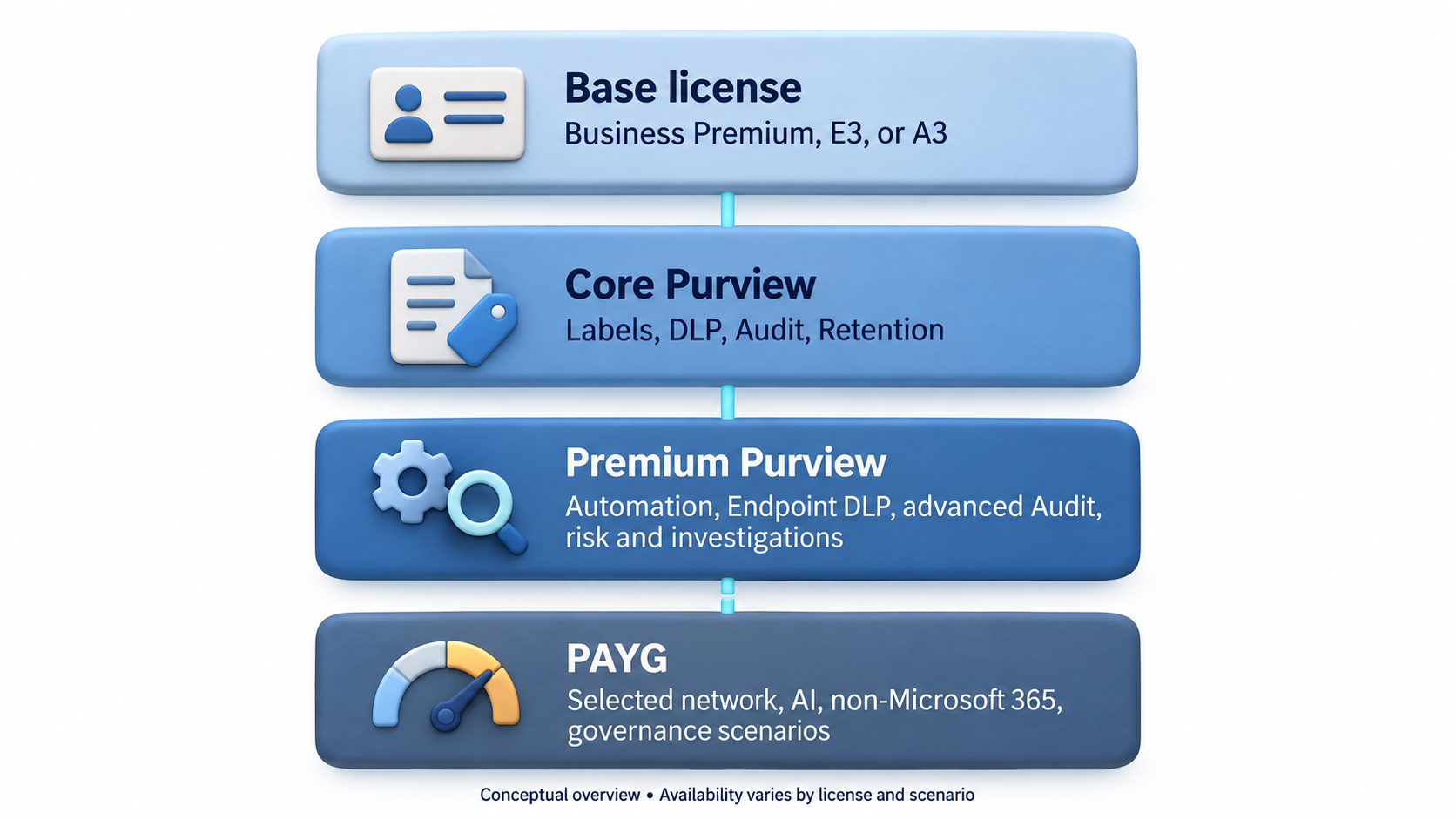
AI makes the licensing discussion even more relevant
Purview is no longer concerned only with Exchange, SharePoint, OneDrive, and Teams.
Modern data security requirements can cover:
- Microsoft 365 services
- Endpoints
- Browsers
- Network activity
- Cloud applications
- AI applications
- AI agents
- Non-Microsoft 365 data sources
This changes both the architecture and the licensing discussion.
A requirement such as “protect data in AI” is too broad to license or design. The consultant needs to understand what the customer means:
- Prevent sensitive data from being pasted into specified AI websites?
- Detect sensitive prompts or responses?
- Apply DLP to Microsoft 365 Copilot interactions?
- Discover sensitive data used by an AI application?
- Assess data exposure before deploying Microsoft 365 Copilot?
- Monitor selected network traffic?
- Govern data outside Microsoft 365?
These are different use cases. They can involve different Purview capabilities, prerequisites, and billing models.
A modern Purview design may therefore use both per-user licensing and consumption-based billing. That would have sounded unusual a few years ago. Today it needs to be part of the architecture discussion.
Do not buy licenses from a feature matrix
Feature matrices are useful. I use them too.
But I would not design a Purview licensing strategy from one.
Start with actual requirements.
Requirement 1
Users must manually classify sensitive Office documents.
Check the manual sensitivity labeling entitlement.
Requirement 2
Existing SharePoint documents containing personal information should automatically receive a sensitivity label.
That is a different feature. Check again.
Requirement 3
Users must not be able to copy Highly Confidential files to removable storage on managed Windows devices.
Now Endpoint DLP enters the picture.
Requirement 4
Security must be able to investigate user activity from eleven months ago.
Now audit retention and Audit Premium matter.
Requirement 5
The organization needs visibility and protection when sensitive information moves into AI applications.
Now the design might involve Microsoft 365, endpoint, browser, network, other Purview data security capabilities, or PAYG.
That is a licensing architecture based on business requirements.
It is much more useful than saying:
E5 has more green checkmarks.
How I approach Purview licensing in a customer project
When I assess Purview licensing, I normally work through the following process.
1. Describe the business problem
Avoid starting with a product name.
“Implement DLP” is not a business requirement.
“Prevent sensitive financial documents from being copied to removable storage” is much closer.
2. Identify the data
Determine what needs to be detected or governed:
- Sensitive information types
- Sensitivity labels
- Retention labels
- Trainable classifiers
- Exact Data Match
- File properties
- Business events
- User or risk activity
3. Identify the locations
Document where the control must operate:
- Exchange
- SharePoint
- OneDrive
- Teams
- Windows endpoints
- macOS endpoints
- Browsers
- Network traffic
- Microsoft 365 Copilot
- Other AI applications
- Non-Microsoft 365 data sources
4. Define the required action
Detection is not the same as enforcement.
The requirement might be to:
- Audit
- Notify
- Recommend
- Warn
- Require justification
- Block
- Encrypt
- Apply a label
- Retain
- Delete
- Start an investigation
5. Identify the benefiting users
Do not limit the licensing assessment to the administrators configuring the feature.
Include users, devices, mailboxes, site members, group members, and other affected populations as required by the applicable Microsoft licensing guidance.
6. Verify technical prerequisites
Licensing alone is not enough.
Depending on the scenario, prerequisites might include endpoint onboarding, supported operating systems, browser integration, Office application support, Microsoft Entra configuration, role assignments, or an Azure subscription for PAYG billing.
7. Compare the licensing routes
Only now should the options be compared:
- Existing entitlement
- Standalone add-on
- Purview Suite
- Microsoft 365 E5 or A5
- Business Premium add-on
- PAYG
- A combination of subscription and consumption-based licensing
8. Validate before purchase and implementation
Check the current Microsoft service description, licensing guidance, Product Terms, and feature-specific documentation.
Licensing pages change. Screenshots, old comparison documents, and blog posts eventually become outdated, including this one.
Licensing does not equal access
One final distinction regularly causes confusion during implementations.
Having the correct license does not automatically give an administrator access to the feature.
Licensing answers:
Are we entitled to use this capability?
Permissions answer:
Who is permitted to configure it, investigate alerts, review content, or manage cases?
A user can have the correct license and still be unable to see the expected options in the Microsoft Purview portal.
The opposite can also happen. A configuration option might be technically visible even though the affected users have not been licensed correctly.
Purview uses roles, role groups, solution-specific permissions, and Microsoft Entra roles. These should be designed separately from the licensing model and assigned according to least privilege.
That will be the focus of the next article in this Purview Fundamentals series:
Microsoft Purview Roles and Permissions Explained
Because once the licensing question has been answered, the next question is often:
We have the license, so why can’t I see the feature?
A useful community resource
If you want a visual overview of how Microsoft 365 plans and add-ons fit together, I also recommend M365 Maps by Aaron Dinnage.
I regularly use M365 Maps as a supporting resource when discussing licensing options because its diagrams and feature matrix make complex plan combinations easier to visualise.
It is a community resource, not an official Microsoft licensing authority. Use it to understand and compare the landscape, but verify the final entitlement against Microsoft Learn, Microsoft licensing guidance, and Product Terms.
Final thoughts
After working with Purview across organizations of different sizes, I have found that the licensing conversation becomes much easier when it moves away from product names and towards actual requirements.
Business Premium already provides a useful Purview foundation for many smaller organizations.
Microsoft 365 E3 and A3 cover a solid set of core information protection, DLP, audit, retention, and investigation requirements.
E5, A5, and premium Purview licensing add much of the automation, endpoint control, advanced auditing, risk management, and investigation functionality.
Purview Suite provides another path to premium capabilities, while PAYG extends parts of Purview beyond the traditional Microsoft 365 licensing model.
But none of those options should be the starting point.
Do not begin with:
Do we need E5?
Begin with:
What information are we trying to protect?
Then ask:
Where does the protection need to work?
What must happen when sensitive information is detected?
Which users, devices, and locations will benefit from the service?
Once those questions are answered, the technical design becomes clearer and the licensing discussion usually becomes much more straightforward.
The challenge is not determining whether an organization “has Purview.”
The challenge is identifying the exact capability the organization needs and making sure the solution is both technically sound and correctly licensed.
Official Microsoft documentation
Licensing changes regularly. Before making a licensing or purchasing decision, check the current documentation:
- Microsoft Purview service description
- Microsoft Purview licensing guidance
- Microsoft Purview billing models
- Microsoft Product Terms
- Microsoft 365 and Office 365 plan options
Microsoft documentation and Product Terms should always take precedence over a static blog post.